Q13 News - Seattle Weather5.0.400
Publisher Description
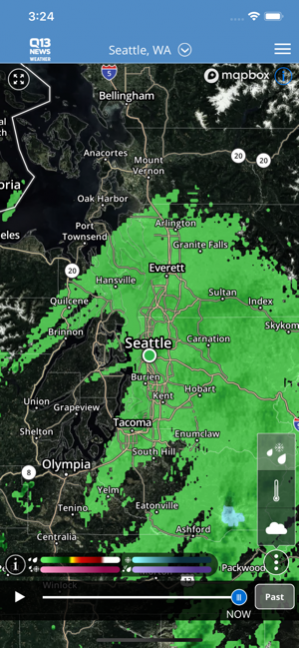
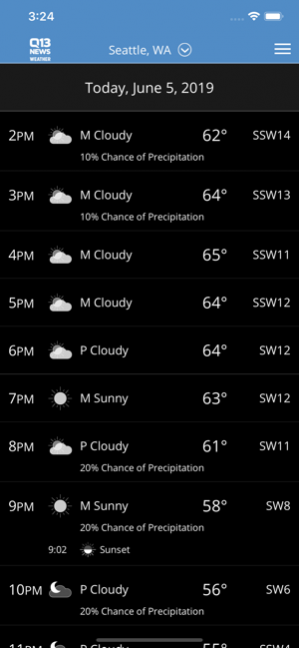
The Q13 Fox Mobile Weather App includes:
* Access to station content specifically for our mobile users
* 250 meter radar, the highest resolution available
* Future radar to see where severe weather is headed
* High resolution satellite cloud imagery
* Current weather updated multiple times per hour
* Daily and Hourly forecasts updated hourly from our computer models
* Ability to add and save your favorite locations
* A fully integrated GPS for current location awareness
* Severe weather alerts from the National Weather Service
* Opt-in push alerts to keep you safe in severe weather
May 21, 2020 Version 5.0.400
* performance improvements
About Q13 News - Seattle Weather
The company that develops Q13 News - Seattle Weather is Tribune Broadcasting Company. The latest version released by its developer is 5.0.400. This app was rated by 1 users of our site and has an average rating of 4.0.
To install Q13 News - Seattle Weather on your iOS device, just click the green Continue To App button above to start the installation process. The app is listed on our website since 2020-05-21 and was downloaded 3 times. We have already checked if the download link is safe, however for your own protection we recommend that you scan the downloaded app with your antivirus. Your antivirus may detect the Q13 News - Seattle Weather as malware if the download link is broken.
How to install Q13 News - Seattle Weather on your iOS device:
- Click on the Continue To App button on our website. This will redirect you to the App Store.
- Once the Q13 News - Seattle Weather is shown in the iTunes listing of your iOS device, you can start its download and installation. Tap on the GET button to the right of the app to start downloading it.
- If you are not logged-in the iOS appstore app, you'll be prompted for your your Apple ID and/or password.
- After Q13 News - Seattle Weather is downloaded, you'll see an INSTALL button to the right. Tap on it to start the actual installation of the iOS app.
- Once installation is finished you can tap on the OPEN button to start it. Its icon will also be added to your device home screen.
Program Details
System requirements
Download information
Pricing
Version History
version 5.0.400
posted on 2020-05-21
May 21, 2020 Version 5.0.400
* performance improvements
version 5.0.301
posted on 2020-04-28
Apr 28, 2020 Version 5.0.301
Improved weather data source to give you accurate current conditions and forecasts from your favorite weather source!
version 4.10.2703
posted on 2020-02-26
Feb 26, 2020 Version 4.10.2703
* performance improvements
version 4.3.401
posted on 2015-02-04
version 5.0.400
posted on 1970-01-01
21. Mai 2020 Version 5.0.400
* performance improvements
